SSL, Backups, and More: Hosting Security Essentials
Essential security practices every hosting customer should implement from day one.


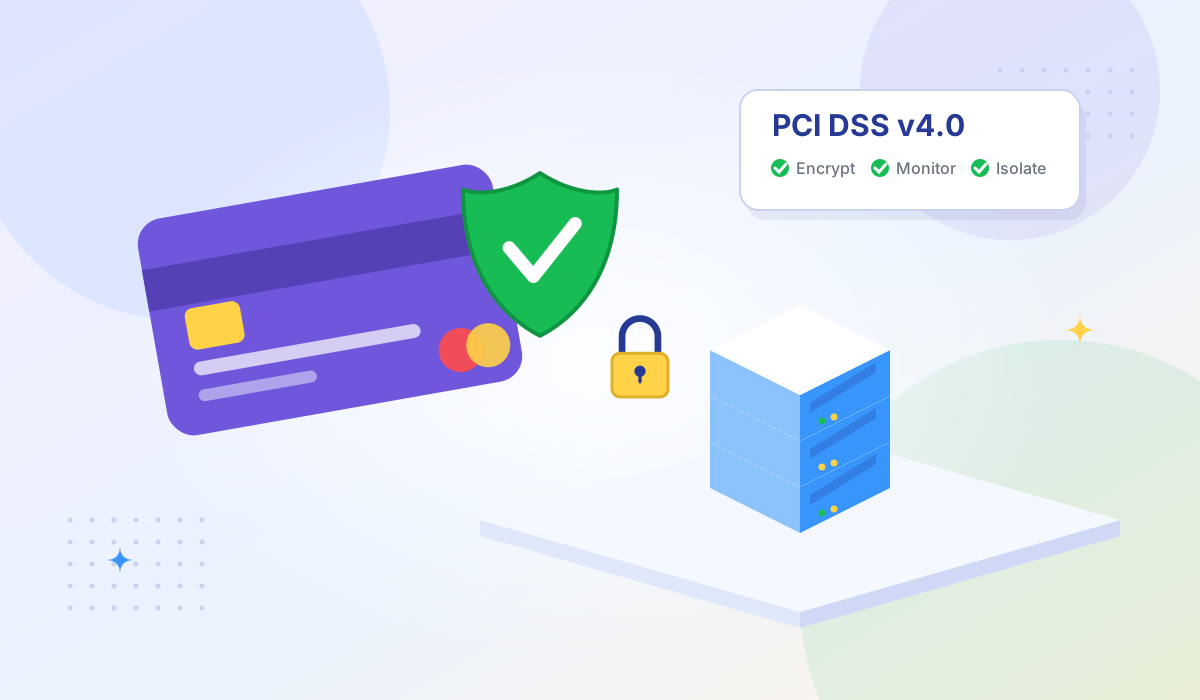
If your website or application processes, stores, or transmits credit card data, you need to comply with PCI DSS — the Payment Card Industry Data Security Standard. Your hosting environment is part of that compliance scope, and not all hosting types qualify equally.
Here's what PCI DSS means for VPS hosting, how the shared responsibility model works between you and your provider, and what infrastructure requirements you should look for.
PCI DSS is a set of security standards created by the Payment Card Industry Security Standards Council (PCI SSC), founded by Visa, Mastercard, American Express, Discover, and JCB. Any organization that handles cardholder data — whether you process one transaction or millions — must comply.
PCI DSS v4.0 became the only active version in March 2024, replacing v3.2.1. The update introduced 64 new requirements, with a focus on continuous security monitoring, stronger authentication, and more flexible implementation approaches.
| Level | Annual Transactions | Validation Requirement |
|---|---|---|
| Level 1 | Over 6 million | Annual on-site audit by QSA + quarterly network scan |
| Level 2 | 1–6 million | Annual SAQ + quarterly network scan |
| Level 3 | 20,000–1 million (e-commerce) | Annual SAQ + quarterly network scan |
| Level 4 | Fewer than 20,000 (e-commerce) | Annual SAQ + quarterly scan (recommended) |
Most small businesses fall under Level 3 or 4, which means self-assessment rather than a formal audit. But the technical requirements for your hosting environment are the same regardless of level.
Shared hosting places multiple tenants on the same operating system, sharing the same IP address, file system, and often the same database server. This architecture fundamentally conflicts with several PCI DSS requirements:
A VPS or dedicated server is the minimum hosting type that allows you to meet these requirements, because you get your own isolated operating system with root access.
A critical concept that many businesses misunderstand: your hosting provider's PCI DSS compliance does not make you compliant. Compliance follows a shared responsibility model.
These are the requirements most directly relevant to your VPS hosting environment:
Configure a host-based firewall on your VPS. Under PCI DSS v4.0, network security controls must restrict traffic to only what's necessary for business operations. On a VPS, this means:
Remove or disable unnecessary services, protocols, and ports. PCI DSS v4.0 requires documented configuration standards for all system components. On your VPS:
If you store cardholder data (which you should avoid when possible), it must be encrypted with strong cryptography. AES-256 is the standard. NVMe SSDs with full-disk encryption at the hardware level provide an additional layer of protection.
All cardholder data transmitted over public networks must use strong encryption. This means TLS 1.2 or higher — TLS 1.0 and 1.1 are explicitly prohibited under PCI DSS v4.0. See our SSL/TLS security guide for implementation details.
PCI DSS v4.0 strengthened authentication requirements significantly. Multi-factor authentication (MFA) is now required for all access to the cardholder data environment — not just remote access. On your VPS, this means MFA for SSH, admin panels, and any interface that touches payment data.
All access to cardholder data and all actions by anyone with root or administrative privileges must be logged and retained. Configure centralized logging with tools like rsyslog or journald, and consider forwarding logs to an external SIEM for tamper protection.
| Requirement | Why It Matters | What to Ask |
|---|---|---|
| KVM virtualization | Hardware-level isolation prevents cross-tenant access | "What virtualization technology do you use?" |
| Full root access | Required to implement firewall rules, encryption, logging | "Do I get full root/sudo access?" |
| Dedicated IP address | Prevents other tenants' activity from affecting your IP reputation | "Is a dedicated IPv4 included?" |
| DDoS protection | PCI DSS requires availability controls — DDoS mitigation is part of that | "What DDoS protection is included?" |
| Data center certifications | ISO 27001, SOC 2 certifications indicate security practices | "What certifications do your data centers hold?" |
| EU/regional data centers | Data residency requirements may dictate where cardholder data is stored | "In which countries are your data centers located?" |
Use this checklist to assess your VPS environment against core PCI DSS v4.0 requirements:
Tonic VPS provides the hosting infrastructure foundation that PCI DSS-compliant environments require:
Your compliance scope starts where the provider's ends. Tonic VPS covers the physical and network infrastructure layer — you manage the OS, application, and data security on top of it.
No. A provider's compliance certification covers their infrastructure (physical security, network, hypervisor). You're responsible for everything from the OS up: patching, firewall configuration, application security, encryption, access controls, and logging. Think of it as building on a compliant foundation — you still need to build the compliant house.
Using a gateway significantly reduces your compliance scope, but doesn't eliminate it entirely. If cardholder data never touches your server (the customer enters it directly into Stripe's hosted form), you may qualify for SAQ A — the simplest self-assessment. But you still need to secure the pages that redirect to the payment form and maintain basic security controls on your server.
Self-assessment questionnaires (SAQ) must be completed annually. External vulnerability scans by an ASV are required quarterly. Penetration testing is required at least annually, and after any significant infrastructure changes.
Non-compliance can result in fines from your payment processor, increased transaction fees, loss of the ability to process card payments, and liability for any data breach costs. After a breach, non-compliant organizations face significantly higher penalties and forensic investigation costs.
PCI DSS compliance isn't optional if you handle payment data, and your hosting environment is a fundamental part of the compliance scope. Shared hosting doesn't qualify. A VPS with KVM isolation, full root access, and a provider that maintains their side of the security stack gives you the foundation to build a compliant environment. If you also handle EU customer data, see our guide on meeting both GDPR and PCI DSS requirements.
The key is understanding the shared responsibility model: your provider secures the infrastructure, you secure everything running on it. Start with the right hosting foundation, then implement the controls your compliance level requires.
Ready to build on a compliant foundation? Explore Tonic VPS plans — KVM isolation, NVMe storage, full root access, and data centers across 8 global locations including the EU.
More VPS hosting guides, server tutorials, and infrastructure tips from our blog.
Essential security practices every hosting customer should implement from day one.
How DDoS attacks target VPS servers and what protection measures keep your services online.
What uptime SLAs actually guarantee and how to evaluate hosting provider reliability.